


Microsoft Teams & Zoom Meeting Rooms in Dubai
For huddle, small, medium and large rooms
Empowering Businesses
with Yealink Video Device Solutions for Microsoft Teams & Zoom Room
We design and install Microsoft Teams Rooms in Dubai, and Zoom Rooms, with Yealink cameras, audio and touch panels: one tap starts the meeting, and everyone is seen and heard clearly. Digitel Softcom LLC supplies, installs and supports the whole room, from cabling to user training, for huddle, small, medium and large rooms.

Enhanced Video Quality in 4K
Equipped with a remarkable 4K sensor and 12x optical zoom, the UVC84 captures every detail, making it ideal for medium and large conference rooms. The innovative Auto Framing feature automatically adjusts the view to include all attendees. The auto-privacy protection design secures the privacy of your meetings.
Seamless Audio Excellence
With advanced features such as 360-degree 10-foot (3-meter) voice pickup and echo cancellation technology, the Yealink CPW65 ensures exceptional clarity for every participant’s voice. Experience the freedom of movement with wireless DECT connectivity, while the impressive 11-day standby time and 13-hour talk time provide convenient and time-saving management.

Share Effortlessly
No additional software or drivers are needed. Simply plug in the WPP30 USB pod into your devices, and your ideas are instantly ready for presentation.
All-in-One Meeting Board
Experience the power of Microsoft Teams Rooms Solution tailored for Huddle, Small, Medium, and Large Meeting Rooms. Our solution boasts One-Cable Simplified Deployment, delivering a Premium Audio and Video Experience along with Wireless Content Sharing capabilities. Contact us today to fulfill your requirements and schedule a demo at your office. Let us transform your meeting experience seamlessly.

Interactive displays for meetings and classrooms
OneScreen interactive touchscreens for meeting rooms, training rooms and classrooms: present, write and video-call from one screen.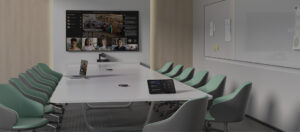
What’s included
- Microsoft Teams Rooms and Zoom Rooms
- Huddle rooms, boardrooms and training rooms
- Cameras, ceiling microphones, speakers and touch panels
- Interactive touchscreen displays and wireless screen sharing
- Room booking panels
- Installation, cabling and user training
Yealink Teams Rooms and enterprise video conferencing
Looking for a Yealink Teams Room solution or enterprise video conferencing for your UAE offices? Digitel Softcom supplies Yealink video devices for Microsoft Teams Rooms and Zoom Rooms, from small huddle rooms to large boardrooms, with end-to-end deployment and support.
How we deliver your meeting room
- Assessment: we review your rooms, their size and whether you use Microsoft Teams or Zoom.
- Design: we choose the Yealink cameras, audio and touch panels for each room size.
- Installation: we install and cable the devices.
- Training: we train your team to start and run meetings.
- Support: we support the room after go-live.
Meeting room questions we hear often
What is a Microsoft Teams Room?
A meeting room set up with a camera, audio and a touch panel, so one tap starts a Teams meeting and everyone is seen and heard clearly.
Do you support Zoom Rooms as well?
Yes. We design and install both Microsoft Teams Rooms and Zoom Rooms with Yealink devices.
Which room sizes do you cover?
Huddle, small, medium and large rooms, as well as boardrooms and training rooms.
How do people share their screen?
The Yealink WPP30 USB pod needs no extra software or drivers: plug it in and present.
Do you supply interactive displays?
Yes. OneScreen interactive touchscreens for meeting rooms, training rooms and classrooms: present, write and video-call from one screen.
What does installation include?
Installation, cabling and user training.
How much does it cost?
The price depends on the room size and the devices you need. Contact us for pricing and a demo.
Pair your meeting rooms with Microsoft 365 set up properly, a reliable office network and a cloud phone system with Microsoft Teams calling.
Related solutions
- Microsoft 365 and cloud solutions: Microsoft 365, virtualization and cloud solutions.
- Microsoft partner in Dubai: Microsoft solutions for Dubai and UAE businesses.
- Cloud phone systems and IP PBX: business phones with Microsoft Teams calling integration.
- Networking and cybersecurity: a reliable network for video meetings.
- Contact us for pricing and a demo.
Get a free meeting room assessment
If you have any questions, please contact us. We reply within one working day !
+971 42825288
+971 569501558
[email protected]